How to Play Voltline — Complete Beginner's Guide
New to Voltline on Roblox? The unbox-assemble-deliver-upgrade loop, your first AOVOPRO ES80, deliveries, parts and battery explained step by step.
You spawn with a boxed AOVOPRO ES80, an empty garage and a phone full of delivery apps. That is Voltline in one sentence — a Beta Roblox sim by DILLYDASHER about building your own electric scooter setup and earning your way up the model range. This guide covers your first hour: the loop, the systems and the order to touch them in.
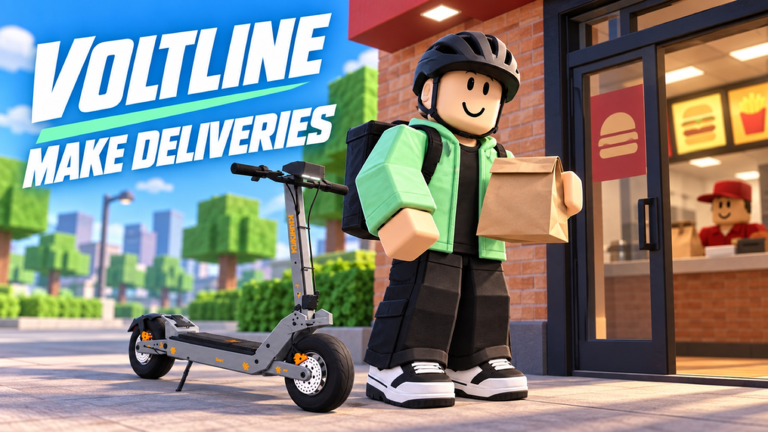
What is the core gameplay loop?
Unbox → assemble → deliver → upgrade. Every system in the game hangs off that loop:
- Unbox — your first AOVOPRO ES80 arrives in a box; unpacking is a gameplay moment, not a cutscene.
- Assemble — put the scooter together yourself, then fit compatible parts as you earn.
- Deliver — take food delivery orders from your in-game phone and ride them across town.
- Upgrade — spend earnings on batteries, motors, controllers, brakes, tires and suspension, or on the next scooter entirely.
Each better setup means faster runs, longer range and bigger payouts, which pulls you toward the premium models.
What should I do first?
In order, your first fifteen minutes:
- Unpack the AOVOPRO ES80. Follow the assembly flow — every scooter in Voltline has its own unboxing and assembly, so learn the pattern early. The ES80 guide breaks it down.
- Open your phone. Deliveries, navigation, shopping and your garage all live on the in-game phone; details in the phone and garage guide.
- Accept a short delivery. Early orders are close by — learn the handling of the ES80 while the stakes are low. The delivery beginner’s guide covers payouts and navigation.
- Watch your battery. Charge your scooter and keep an eye on the meter; the battery guide explains recharge and range.
- Track your miles. Voltline counts the miles you ride — a quiet progress log that grows with every run.
From there the loop takes over: delivery money becomes parts, parts become speed, speed becomes more deliveries per hour.
How does progress work — is there a story?
No story, no codes. Voltline is a sandbox progression sim: the goalposts are the VSETT 9+ and KuKirin G4, two premium scooters you earn your way toward, each with its own unboxing and assembly moment — and, since October’s Segway Update, the Segway Max G3 and GT3 Pro have joined the top of the range (see the Segway update guide). There is no redeemable code system as of November 8, 2026 — progress is deliveries and upgrades, full stop. The scooter comparison lays out which flagship to aim for.
What parts can I fit?
Six part categories are confirmed compatible across setups: batteries, motors, controllers, brakes, tires and suspension. Each changes how the scooter rides — range and recharge, top speed and torque, stopping power, grip, comfort. Start with the battery, then the motor and controller, then brakes, tires and suspension as your speeds climb.
Is Voltline finished? What is Early Testing?
It has moved on: Voltline left Early Testing for Beta in the autumn and is now listed as Voltline: Realistic E-Scooter Simulator. October’s update run rebuilt the physics, opened a whole new map, expanded the garage and added the Segway Max G3 and GT3 Pro — and mobile support arrived, so the official page now reads BETA · ALL PLATFORMS rather than the old desktop-only notice. Expect bugs, balance changes and unfinished areas all the same, and expect the numbers in any guide (ours included) to shift with updates; the game was updated again in early November 2026. When you report a bug, the developer asks you to include your scooter and what happened.
Related Articles
guides
Voltline New Map Guide — Riverside Expressway, Forest Gorge and Lookouts
The Voltline map update opened a riverside expressway, a forest gorge and mountain lookouts — plus chargers, air pumps, weather and traffic far from the city.
guides
Voltline Segway Update Guide — Max G3, GT3 Pro and the Segway App
Everything the Voltline Segway Update added: the Max G3 and GT3 Pro, the Segway phone app with cruise and traction control, the new store and the event window.
deliveries
Food Deliveries in Voltline — Order Taking, Navigation and Payouts
How Voltline's delivery system works: accepting orders on the in-game phone, navigating to customers, managing battery on runs and cashing out.
Was this helpful?
Thanks for the feedback!